 Oanarina Journal
How to storyboard a home walkthrough in five shots
A short sequence can explain how a home fits together, from the approach to the view you remember.
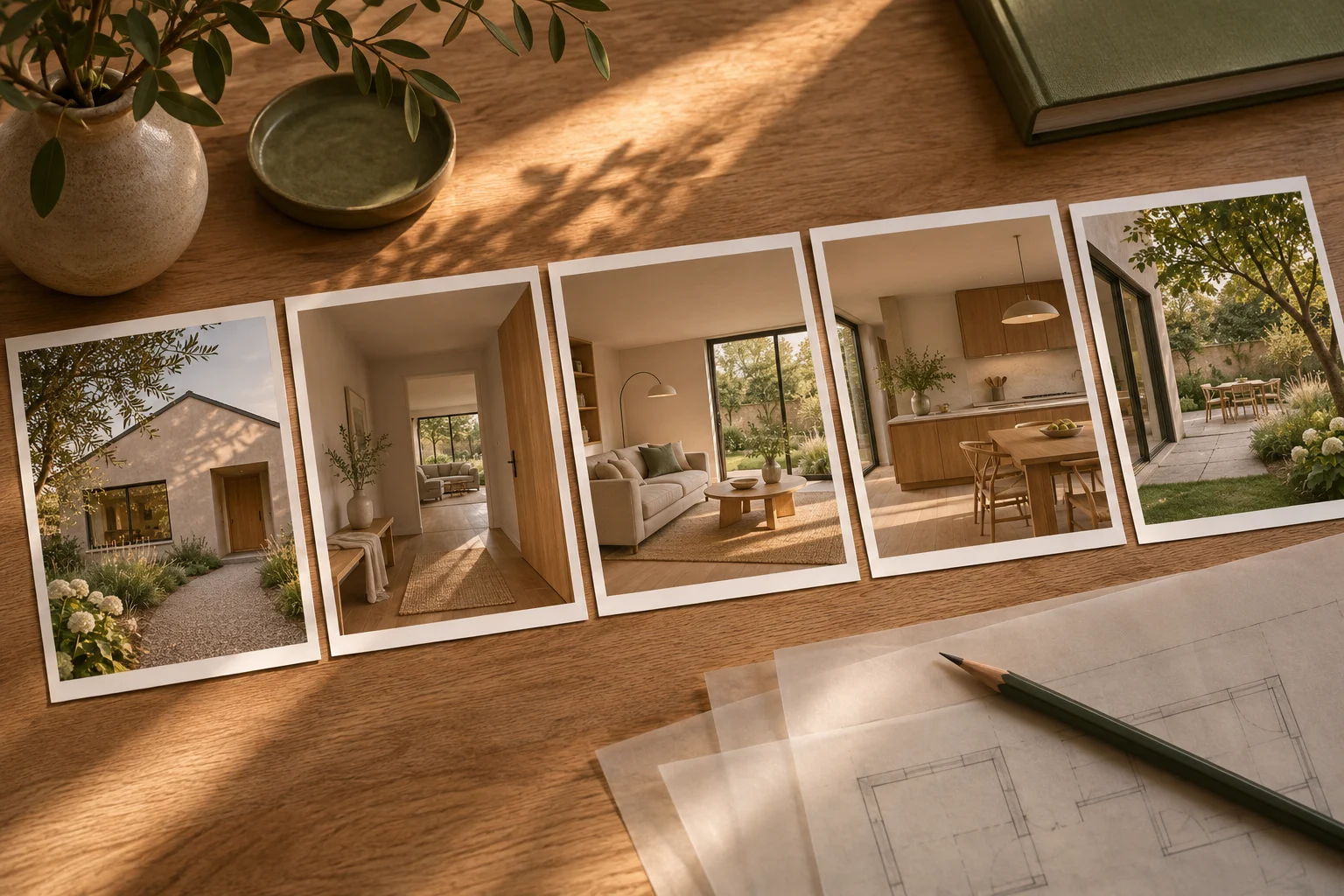
Show the arrival
Give the viewer a place to start. The first shot could be as ordinary as a path from the street to a front door. Leave enough of the surroundings in the frame to show how someone would find the entrance. The second shot begins just inside. Keep part of the doorway or the edge of the coat wall in view so the viewer can tell where they are standing.
Draw each frame on a small card and write one sentence under it that a viewer should be able to understand. Under the arrival shot it might read ‘the entry is tucked to the side.’ A sentence like that makes it easier to choose a useful viewpoint when you eventually make the image.
Give the turning point its own frame
The third shot is where you turn or where a new room comes into view. Keep a recognizable feature in both this frame and the previous one. A doorway, an edge of the kitchen island, or a tall window can help the viewer follow the movement. In the fourth shot, pause where someone might spend time. Show the chair beside the window and the portion of the room it looks toward. One good view can explain a room better than a fast sweep across all its walls.
End on a view with a purpose
For the fifth shot, pick the image that tells you what is distinctive about the house. Perhaps it is the kitchen table looking out onto a small garden. Let that frame sit long enough to notice the relationship. Lay all five cards on the table before animating anything. If the middle of the sequence feels confusing, put two cards side by side and see what a viewer would need to recognize in both. You can often solve the problem by shifting a single viewpoint.
AI Architecture Plan to Video
Once you have a frame you want to explore, our app can turn a plan, sketch, or room image into a short concept video. Try one shot first and see whether the motion helps the viewer understand it. Some generation features require paid credits or in-app purchases.